Keyword research means finding the words your customers type into Google when they need what you sell, then giving each one a place on your site. For a local business, start with your services and the places you work, check each phrase against two data sources, and read the live results before you build a page. You need only free tools: your customers, Google Keyword Planner and Search Console.
Why do keyword research at all?
Each page on your site should match something people search. A page with the right phrase in the right places can show up. A page without it has to hope Google guesses. On a small local site, exact wording matters because Google rarely stretches one page to cover related phrases.
Research also stops you building two pages for one search, and it shows which pages can bring calls. A search like "how to fix a leaking tap" rarely brings a call for a plumber, so those pages come after the pages that sell. This is one of the jobs in our SEO and AEO work.
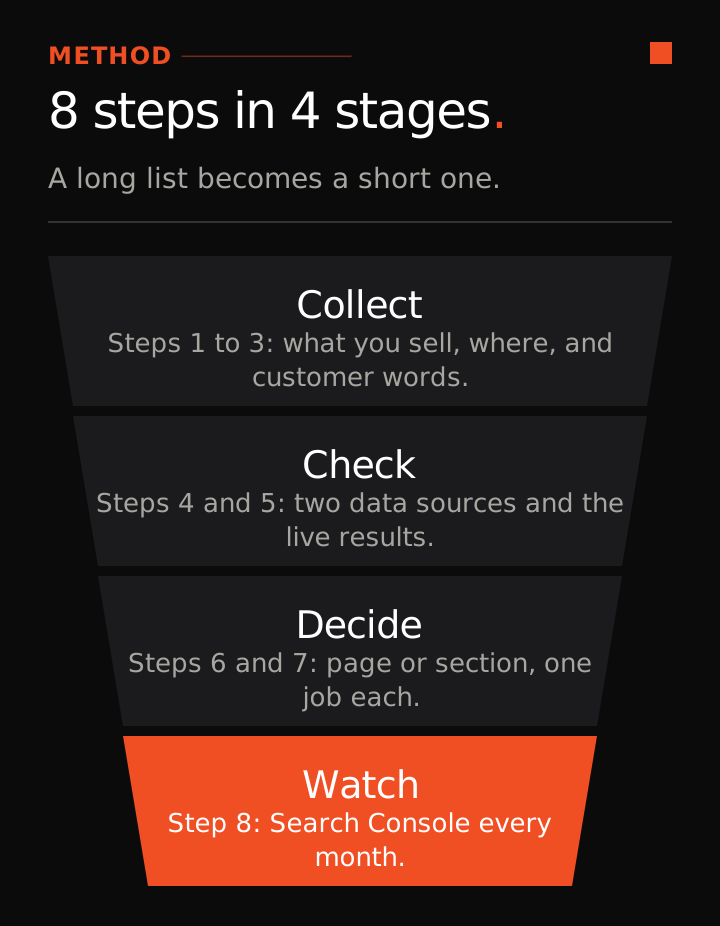
Step 1: List what you sell and where you work
Write down each service you want more calls for and each town or suburb you actually serve. Start from your Google Business Profile categories and services, because your site should match them. Pick the 3 to 5 services you most want more of. That is enough to start.

Step 2: Collect the words customers use
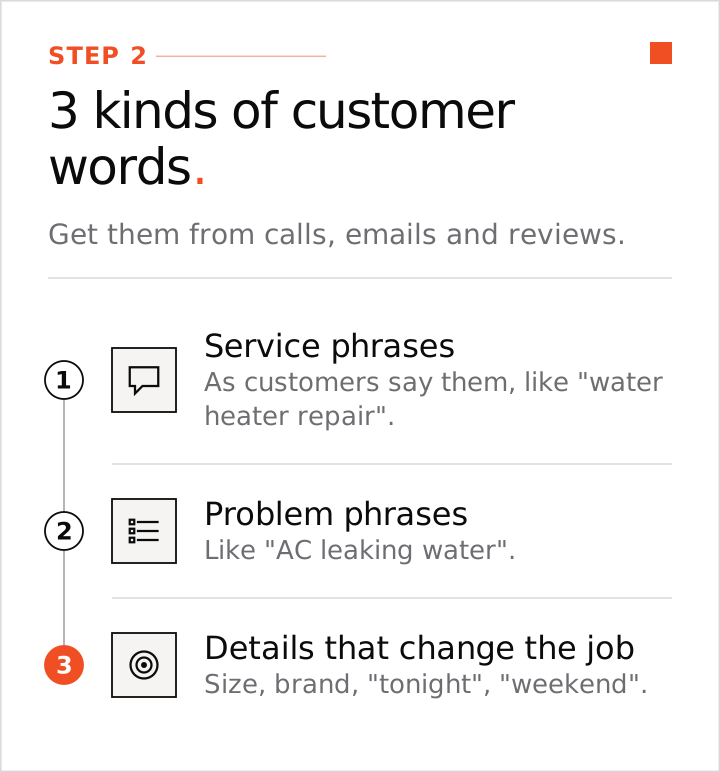
Your own customers are the best source. Listen to calls, read the last 20 inquiry emails or quote requests, and read your reviews. Write down three kinds of phrase:
- Service phrases as customers say them, such as "water heater repair" or "AC install".
- Problem phrases, such as "AC leaking water" or "water heater not heating".
- Details that change the job: size, brand, "tonight", "weekend", "commercial kitchen".
Then spend about 20 minutes reading reviews of your local competitors and note the words and the complaints that repeat. In your Google Business Profile, open Performance and read the search terms for the last 3 months. They count appearances, not clicks.
Step 3: Expand the list
- Service plus place: "water heater repair Austin".
- Words that change intent: emergency, same day, cost, price, commercial, residential.
- Questions: type your service into Google and note the People Also Ask box, the autosuggest and the related searches. Try Google's AI Mode too and note the follow-up questions it offers.
Keep "near me" phrases in your list. Map listings win those searches, so page copy will not. In our test of 80 "near me" searches across 20 US cities, Google showed the map listings on 79 of them (98.8%). See the AEO vs SEO vs GEO guide for the data.
Step 4: Check demand with two sources
Check each phrase in Google Keyword Planner (free inside a Google Ads account) and in Search Console. Treat a phrase as confirmed when both show it.
A new site has no Search Console data yet. Use the Planner number plus the live results, or what your customers told you, and mark the phrase "provisional". Check it in Search Console again after 3 months.
Tools undercount local searches and often show zero for small local phrases. A low or zero number does not remove a phrase your customers really use. Use volume to put jobs in order, not to throw ideas away.
Step 5: Read the live results page
Search the phrase from your area and look at the top 5 organic results.
- What kind of pages show? Pages built for that exact service mean the phrase needs its own page. A results page full of directories and marketplaces means few local sites built the right page, so a proper service page is worth trying.
- How well do they target the phrase? For each result, check whether the exact phrase sits in the title, the URL, the H1 and the first sentence. That is 4 checks on each of 5 results, so count the ticks out of 20.
- Who ranks? Small local sites are easier to beat than national chains.
| Ticks out of 20 | What it means |
|---|---|
| 0 to 8 | Under targeted and easy |
| 9 to 14 | Contestable |
| 15 to 20 | Well targeted. You need a strong page plus links |
This scale is our own rule of thumb. Ignore the "difficulty" scores in keyword tools, or use them only to break a tie.
Step 6: Decide between a new page and a section
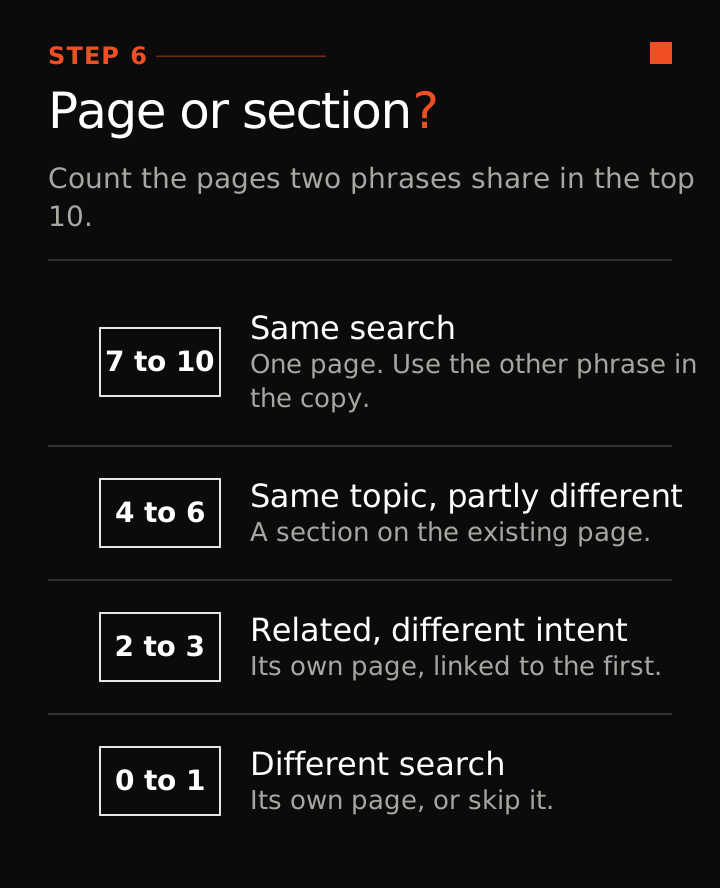
Compare the top 10 results for two phrases from the same location. The more pages they share, the more likely one page can cover both.
| Pages shared in the top 10 | What it means | What to do |
|---|---|---|
| 7 to 10 | Same search | One page. Use the other phrase naturally in the copy |
| 4 to 6 | Same topic, partly different | A section (H2) on the existing page |
| 2 to 3 | Related, different intent | Its own page, linked to the first |
| 0 to 1 | Different search | Its own page, or skip it if you do not offer that service |
Spelling variants and synonyms share one page. When it is a coin flip, a small site does better to start with a section and split it later.
Step 7: Give every phrase one job
Give each group of phrases one home: the homepage, a service page, a section on a page, an FAQ answer, a Google Business Profile service, or no action at all. Skip services you do not offer and areas you do not serve.
Put cost phrases on a cost page or a cost section. Questions that AI tools answer in full, such as "what is" or "how to", go on guides that link back to your service page. Save everything in one sheet: the phrase, the volume with its source and date, where it lives, and whether it is confirmed or provisional.
Step 8: Check Search Console every month
Once the site is live, Search Console shows the real searches. Filter to positions 5 to 20. Pages there sit close to page one, so add the phrase high on the page that already ranks (see the on-page SEO checklist).
Every couple of weeks, filter for words such as cost, price, vs, reviews and near me. Answer the real ones as a section or FAQ on the page you have. Build a new page only when the phrase passes steps 4 to 6.
Keyword research for SaaS and B2B
The steps stay the same. The words come from sales calls, demos and support tickets instead of phone calls. Buyers often search by problem and compare named rivals, so check "alternative" and "vs" phrases. Where buyers compare, build an honest, clearly labelled comparison page. Never build a page that pretends to be a rival's own page. More on this is on our SaaS SEO page.
What to skip
- Big national terms. A small site rarely wins them, and the people searching are often just browsing. Go narrow and local.
Keyword research helps a page rank when the site behind it is healthy and the page is written well. Run the technical SEO checklist on your site. Keyword research is one of the steps in AI SEO case study: $0 to $10,000 a month in 3 months. Once you have your keywords, put them to work with our local SEO checklist.