Guide
What a dispatch system needs for a field service business
A dispatch system turns booked jobs into assigned work and tracks each job until it is paid. Most tools cover the dispatch board, GPS, routes, a technician app and invoicing. The parts that protect you in a dispute are the ones most buying guides skip: checks that block the next step, photo records, card holds, safe reassignment and an audit trail.
What does a dispatch system do?
It takes a booked job, assigns it to a technician or driver, and tracks its status until the work is done and invoiced. The office sees every job in one place; the person in the field sees only their own jobs on a phone.
The features every dispatch system has
These show up in almost every buying guide and vendor page. Check your tool has them before anything else.
- A dispatch board or queue: every unassigned and assigned job on one screen.
- A technician or driver app: today's jobs, addresses and the next action on a phone.
- GPS and route planning: who is where, and the best route to the next job.
- Customer notifications: booked, on the way, done.
- Invoicing, plus a sync to your accounting software.
- Reporting: jobs done, revenue, jobs waiting.
- Reassignment: moving a job to someone else during the day.
Five things most dispatch software lists skip
We built BuildHire Compliance with PresciaIQ in June and July 2026. It runs bookings, driver dispatch, safety checks and invoices for BuildHire, an equipment hire company with yards in Brisbane and Sydney. Here is what that build taught us, one part at a time.
1. Checks that block the next step
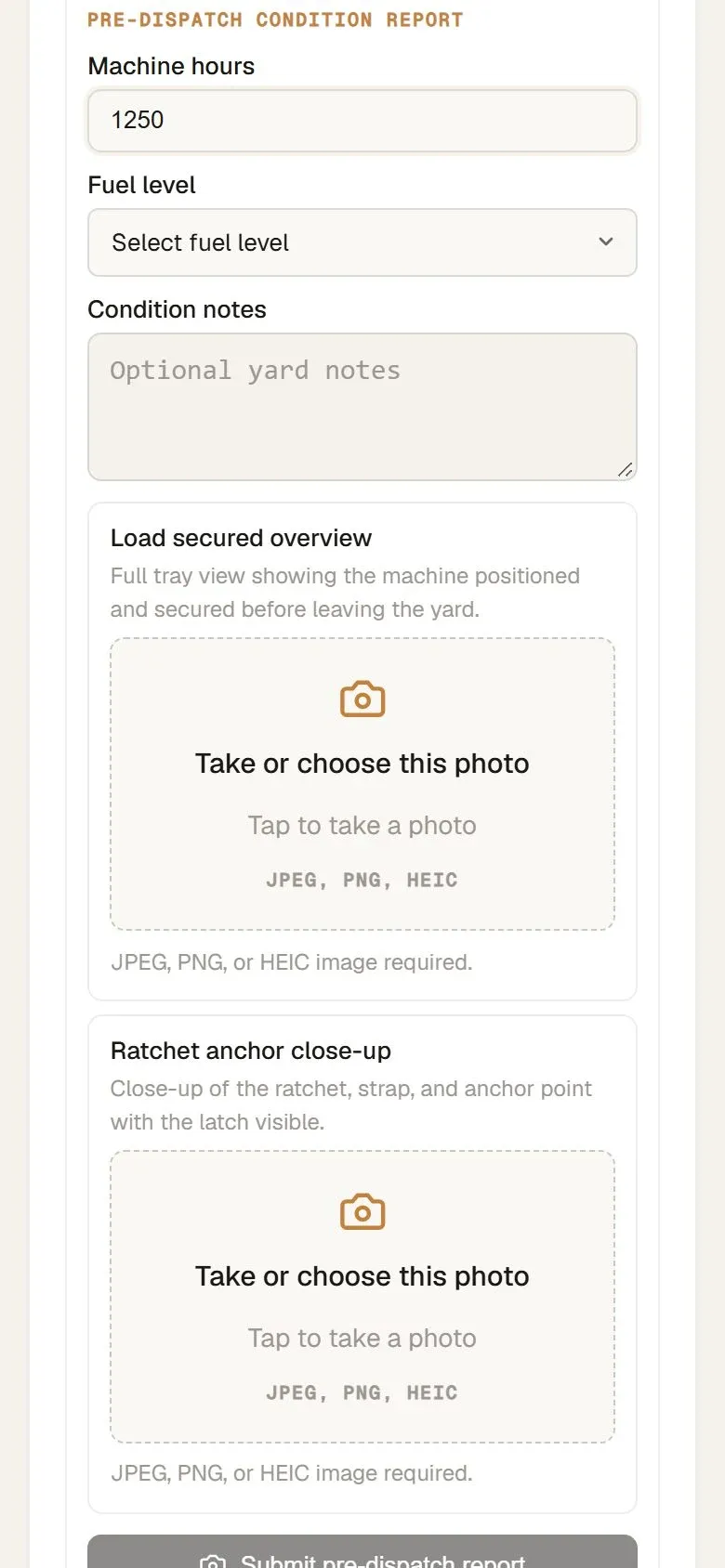
A checklist people can skip is a suggestion. In the equipment hire platform, the driver cannot mark a machine as loaded until a condition report (machine hours, fuel level, photos) and a safety check (wheel chocks, traffic cones, a photo) are both filed. The button stays locked, and the server refuses the change as well, so nobody can get around it from the app.
For a field service business, the same gate can sit before "job complete": no completion without the after photos and the customer's sign-off.
2. Photo records before and after the job
Photos only settle a dispute when they belong to the job, carry a time, and can be set side by side. In the equipment hire platform, return photos sit next to the pre-dispatch photos for the same job, and the office decides the bond from that comparison.
3. Deposits and card holds
Card holds expire. Stripe says an authorization for an online card payment is usually valid for 7 days (Stripe docs). If a job or hire runs longer, a hold placed on day one may be gone by the time you need it.
In the equipment hire build, machines can be out for weeks. BuildHire's Stripe account was not yet eligible for extended holds, so we shipped a standard hold and planned extended holds as a separate step. If you take deposits or holds, check how long they last with your payment provider before you build the process around them.
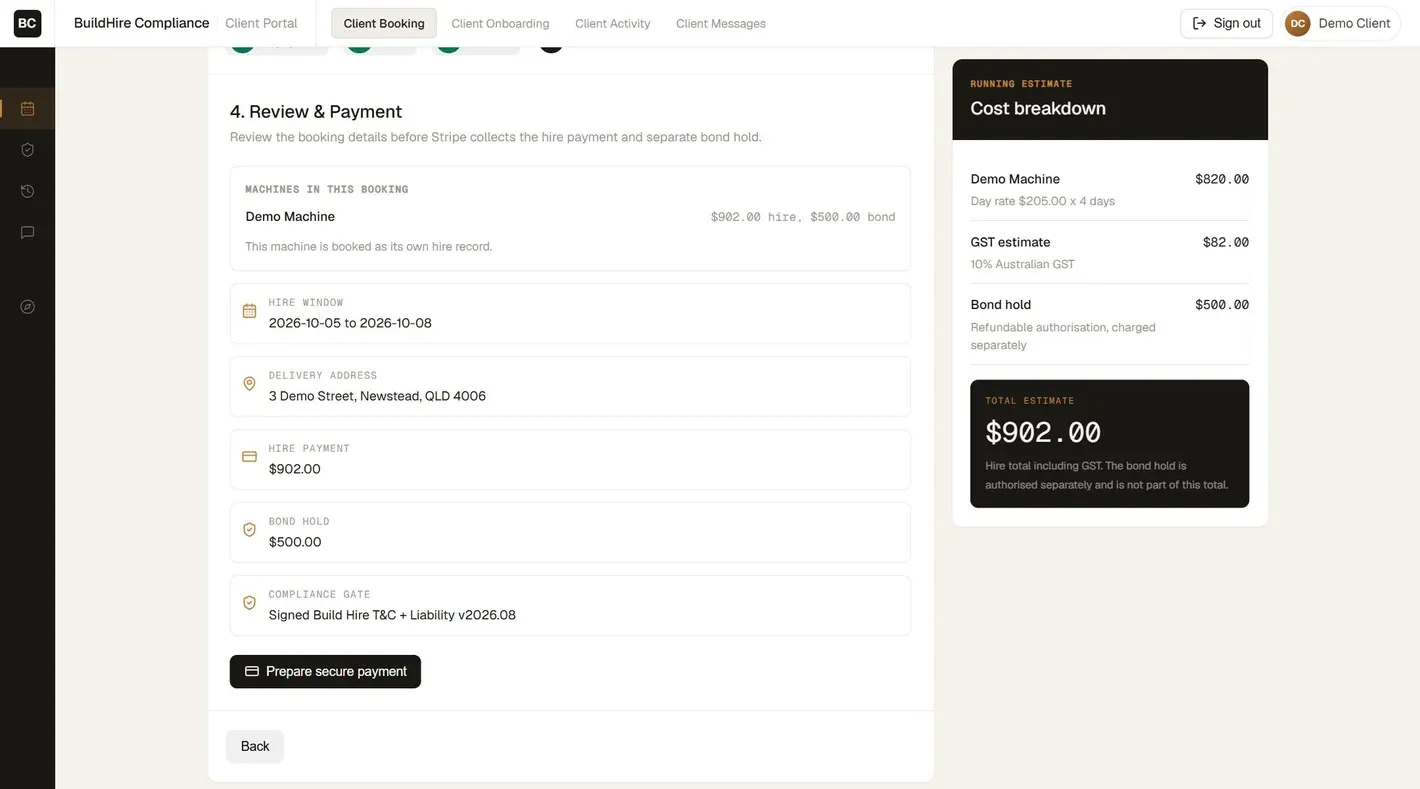
A 4 day hire at $205 a day is $902 with GST on the demo booking.
$205 x 4 days = $820. Plus $82 GST (10%) = $902.The $500 bond hold is authorised separately and is not part of the $902.
4. Reassigning a job without losing the record
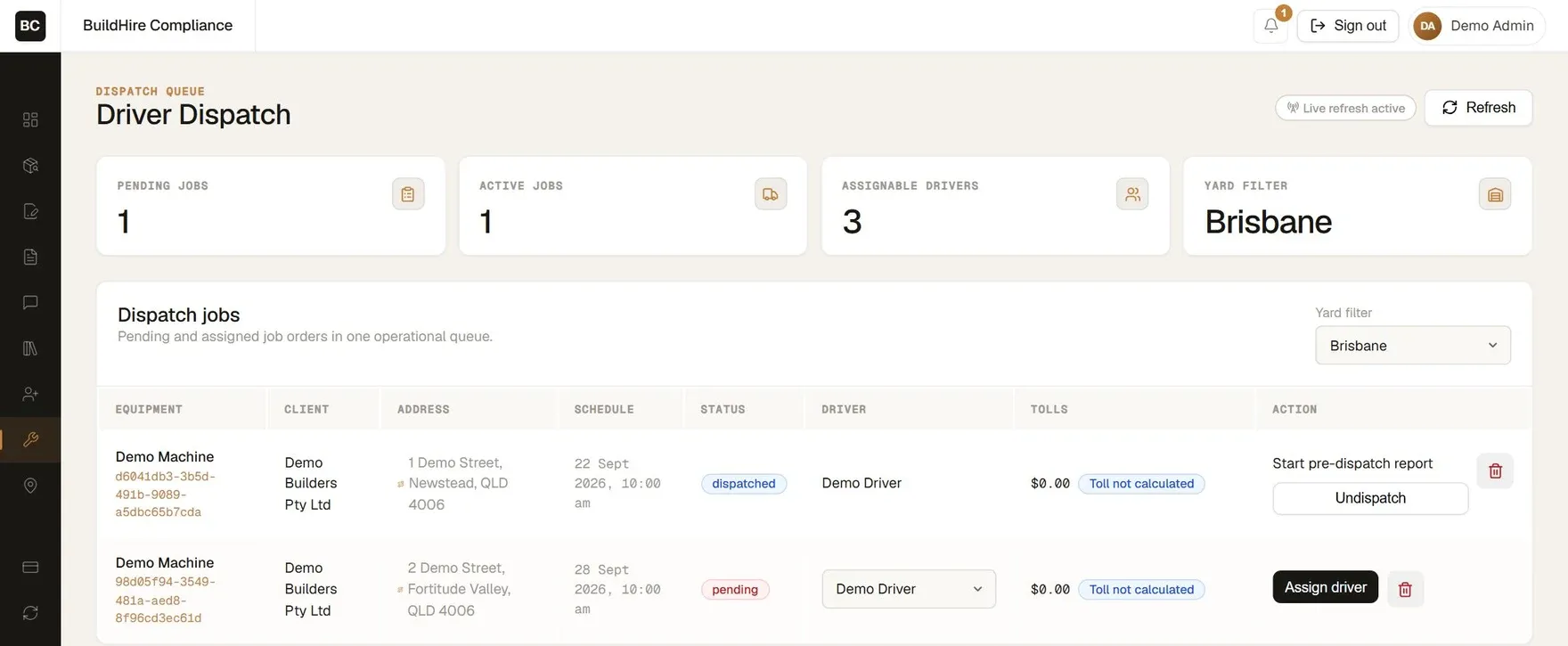
Most tools let you move a job. Fewer say what happens to the work already recorded. In the equipment hire platform, the office can undispatch a driver only before that driver starts the pre-dispatch report. Once the driver has filed photos or a safety check, the job and its records stay with that driver.
5. An audit trail with server time
When a customer disputes a job, you need to show who did what and when. The equipment hire platform logs every change with the person, the action and the time. Safety and condition records take their time from the server, not the phone, and they are never hard deleted. Staff with job history are archived, not deleted.
What a missed job costs
Two missed jobs a month cost $700/mo, or $8,400 a year, to a US HVAC repair business.
2 x $350, the US national average for an HVAC repair.
Two missed jobs a month cost $440/mo, or $5,280 a year, to an Australian plumbing business.
2 x $220, a typical one hour Australian plumbing visit.
Swap in your own job value and your own count.
Buy a tool or build your own?
If an off-the-shelf tool handles every step your jobs need, keep it. BuildHire needed steps that tools built for service calls do not cover: bond holds on machine hires, a safety gate before loading, and two yards on one system. That is when custom software is worth pricing. See how we build custom software for field service businessesor read the full project. The automation side of the same build is on our AI and automation page.
Sources
- Stripe, "Place a hold on a payment method", checked 1 Nov 2026: "Usually, an authorization for an online card payment is valid for 7 days."
- Feature list: top results for "dispatch system" and "field service dispatch software" (US, 31 Oct 2026): FarEye, Azuga, ServicePower, Salesforce, Service Fusion, Workyard (two pages), Method, Guideflow. GPS, integrations and route planning on 8 of 9 pages; audit trail on none; deposits and holds on none.
- Fixr, "HVAC service: how much does HVAC repair cost", published 22 Oct 2026, read 1 Nov 2026: "a national average of $350 in 2026" and "Most homeowners pay between $150 and $650 for HVAC repairs."
- What's The Damage, "Hourly rates and call-out fees", November 2026 update, read 1 Nov 2026: a straightforward one hour visit $140 to $350, middle of the market about $220.
Start with a free audit.