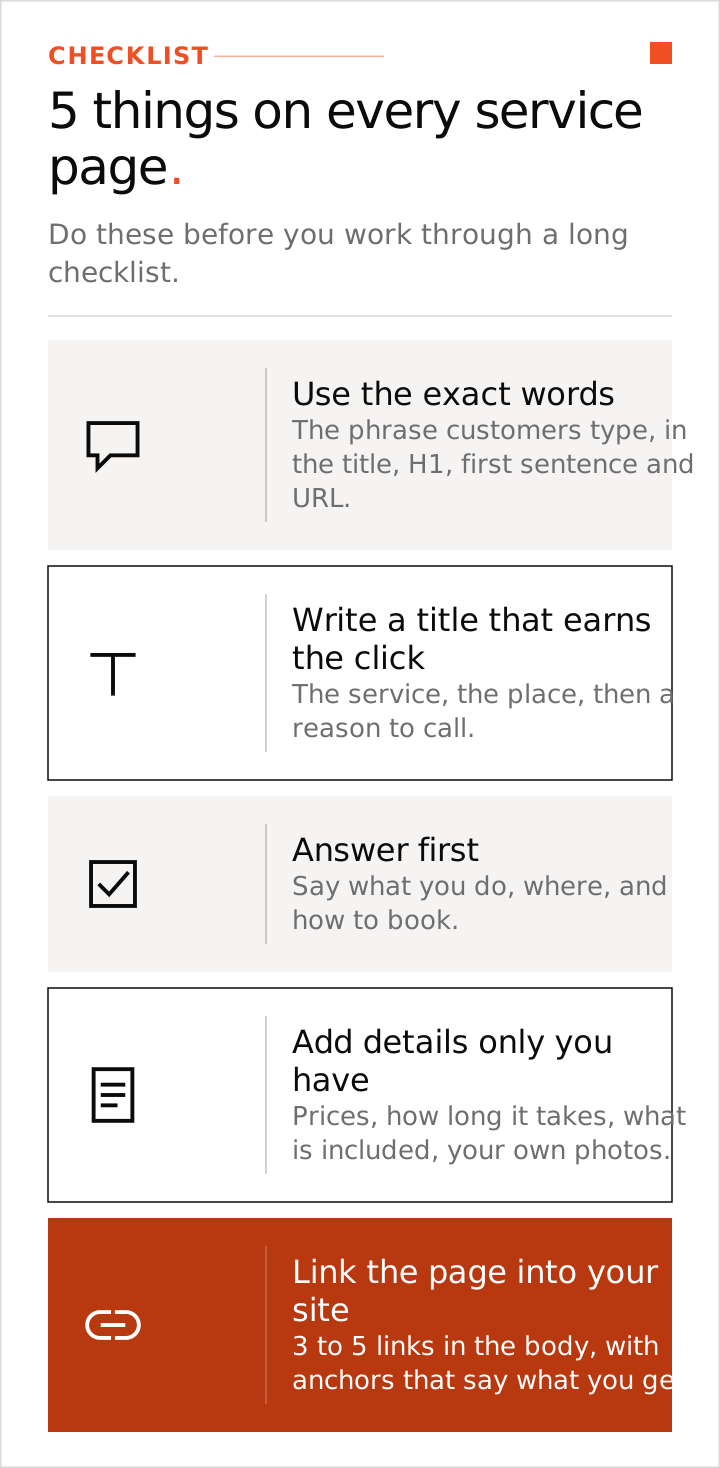
The on-page SEO checklist comes down to five things. Use the exact words customers type. Write a title and description that earn the click. Answer first. Add details only you have. Link the page to related pages. On-page SEO is what you do on the page itself so Google and your customers know what it is about. Do these on every service page before you work through a long checklist.
We write and fix pages this way as part of our SEO and AEO work for field service and SaaS businesses.
1. Use the exact words customers type
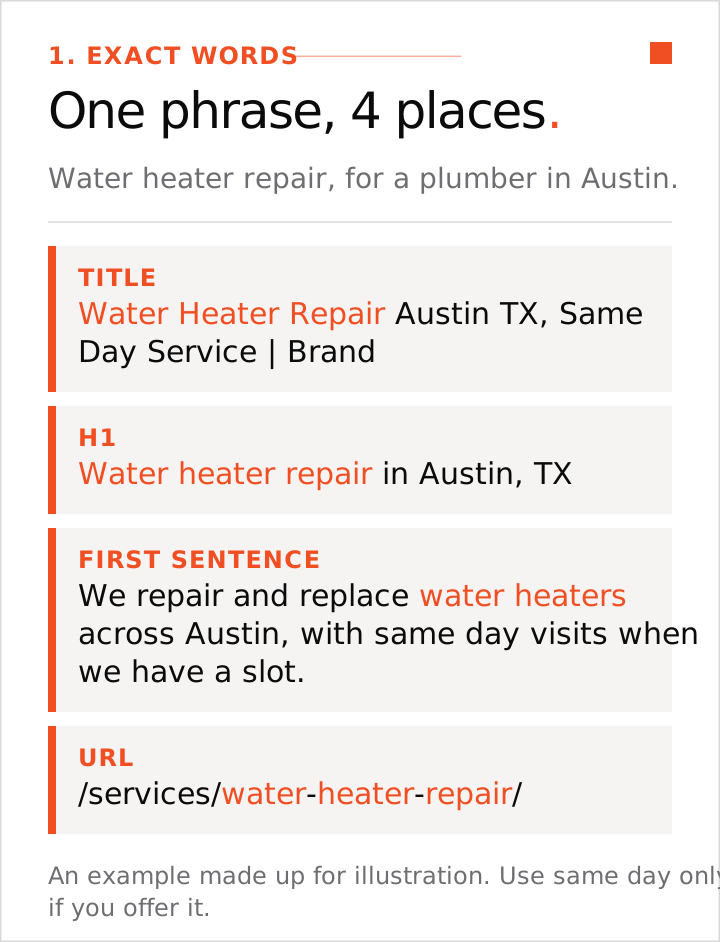
Local searches depend on wording. Search the phrase yourself and see which pages Google shows. Then put the exact phrase in four places: the title, the main heading (H1), the first sentence and the page address (URL). Use it as often as it reads naturally. Stuffing it into alt text, schema or hidden text works against you.
Get the phrase from your customers: calls, emails and reviews. Use the words they use ("water heater repair"), even when the trade has a different name for the job. Our local keyword research guide shows how.
| Page part | Example for a plumber in Austin (made up for illustration) |
|---|---|
| Title | Water Heater Repair Austin TX, Same Day Service | Brand |
| H1 | Water heater repair in Austin, TX |
| First sentence | We do water heater repair across Austin, with same day visits when we have a slot. |
| URL | /services/water-heater-repair/ |
Use "same day" only if you really offer it.
2. Write a title and description that earn the click
Use this title formula: the service, the place, then a reason to call. Put the key words in the first 50 to 60 characters, because longer titles get cut off in the results. Put your business name last. Leave prices out of the title and put them on the page. Do not list suburbs.
For the description, write one or two sentences about what the page offers and what happens next, such as a phone number or a quote. Google may rewrite it, but a clear one often gets used. If a page ranks but gets few clicks, the title is the first thing to change.
3. Answer first, then explain
Open with the answer for the person who just searched: what you do, where, and how to book. Leave the company history for the About page. On a cost page or a guide, put a two or three sentence summary under the H1.
Then use H2 headings that match the questions people ask, with a short answer under each. Short paragraphs, lists and tables help. Prices, steps and FAQ answers should be in the page source, even when they sit in an accordion or tab. AI answer tools often quote from the top of a page, so state the answer early. Our AEO vs SEO vs GEO guide follows this layout.
4. Add the details only you have
Most pages that rank say the same things. A page that adds something the others lack gives Google a reason to show it. Use real details: your price range and what moves the price, how long the job takes, what is included, who the service is not for, and photos of your own jobs with captions that name the job and the place.
Try the swap test. Put a competitor's name into any paragraph. If it still fits their site, rewrite it with your own jobs, prices or local conditions. Use your own photos and write alt text that says what is in each photo in plain words.
5. Link the page into your site
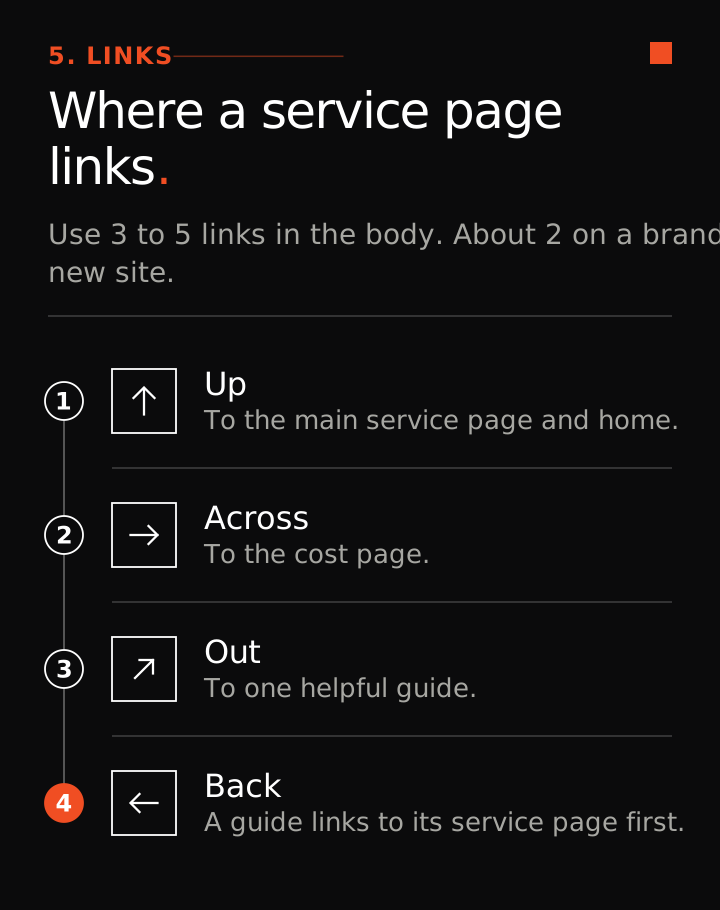
Every page needs links in and out. A service page links up to the services page and home, across to the cost page, and to one helpful guide. A guide links back to the service page it supports, as the first link in the body.
Use 3 to 5 links in the body of a page, and about 2 on a brand new site. Write anchors that tell the reader what they get ("see what a water heater replacement costs"), never "click here". A page with no links pointing to it is hard for Google to find.
Before you publish: a short check
- The exact phrase sits in the title, H1, first sentence and URL.
- The key words in the title come in the first 50 to 60 characters, with the brand last.
- The description is written.
- The first paragraph answers the search. No company history.
- The price range, time, what is included and who it is not for are on the page.
- Real photos carry captions.
- The FAQ has 4 to 8 short answers to real customer questions.
- The page has links in and 3 to 5 links out in the body.
- A person has checked every fact.
What you can skip
- Keyword density and word count targets. Write what the page needs and stop.
- Rewriting a whole page with AI to make it "more SEO friendly". Change a page when you have new real information or a measured problem.
Start with one page
Pick the service page that should bring the most calls and start with step 1. Change one thing at a time so you know what worked. A few weeks after each change, open Search Console and look at the searches the page shows for and whether clicks changed. Nobody can promise a ranking, and we do not.
On-page SEO is one of the steps in AI SEO case study: $0 to $10,000 a month in 3 months. If the pages are right but Google is not reading them, run the technical SEO checklist next.